
Camera Tracking
Principles and Plate Preparation
ANIMATION AND VFX CINEMATOGRAPHY
Drew Campbell
3/4/20263 min read
Camera Tracking Principles and Plate Preparation
During this week’s session, we explored the practical workflow behind camera tracking and why it is essential for integrating CGI elements into live-action footage. One of the most important ideas discussed was that tracking itself does not create a visual effects shot — it simply makes the shot possible when camera movement needs to be matched digitally. For example, tracking becomes necessary when inserting CG characters or objects into a moving shot, extending environments, or adding simulations that require accurate shadow placement and parallax interaction with the filmed scene.
The lecture emphasised that most tracking problems are not caused by the software itself but by poor capture discipline during filming. A shot becomes far easier to track when it contains visible texture and contrast. Surfaces such as brick walls, gravel, posters, signage, and architectural edges provide clear points that tracking software can follow across frames. By contrast, blank walls or smooth surfaces provide very little information for the software to analyse.
Parallax was highlighted as one of the most important factors in successful tracking. Parallax occurs when foreground and background elements move at different speeds relative to the camera. This depth difference allows the software to reconstruct the movement of the camera through three-dimensional space.
Another important factor is consistent camera settings during capture. Exposure and white balance should remain fixed throughout the shot to avoid brightness or colour shifts that may disrupt the tracking process. Motion blur must also be controlled. While some blur is natural, excessive blur removes the small visual details required for tracking points. The lecturer recommended following the cinematic shutter rule, for example using a shutter speed of approximately 1/50 when shooting at 25 frames per second to maintain natural motion while preserving trackable features.
When a filming location lacks sufficient detail, it is common to introduce temporary tracking markers such as tape crosses or printed dots. These create identifiable reference points that can later be removed during compositing using a clean plate.
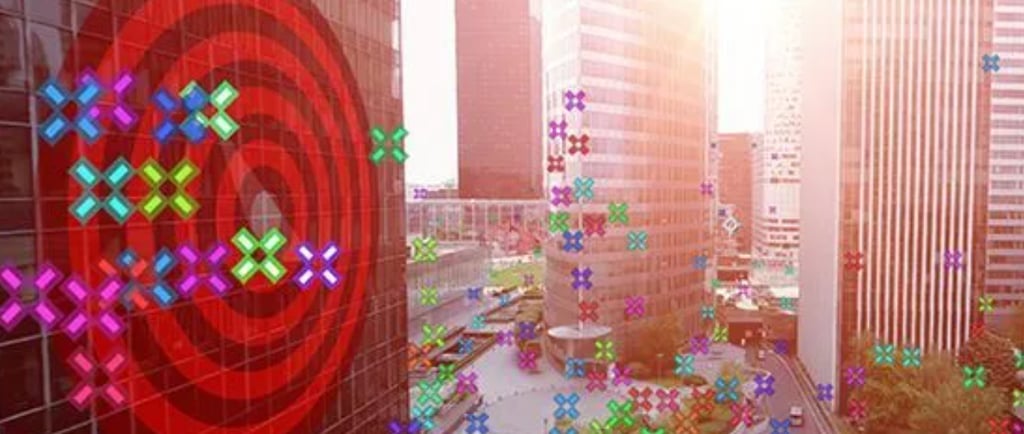
The tracking workflow demonstrated in Blender followed a clear sequence of steps. First, the footage (referred to as the plate) is prepared and trimmed to the relevant section while keeping additional frames known as handles. Tracking points are then placed on high-contrast areas of the image and tracked across the sequence. Once enough reliable tracks are obtained, the camera motion can be solved to reconstruct the camera's motion in 3D space (Fig. 1).
After solving the camera, the virtual scene must be oriented and scaled correctly. This involves defining the ground plane, setting an origin point, and estimating real-world scale using known measurements from the environment. A common validation method is to place a simple test object, such as a cube, within the scene (Fig.3). If the cube appears firmly attached to the environment without sliding or drifting during playback, the track is considered successful.
Overall, this session highlighted that effective VFX integration depends heavily on planning and capture techniques during filming, not just technical skill in post-production. Understanding how texture, depth, camera settings, and plate preparation affect tracking will be essential when capturing footage for upcoming visual effects shots in this module.
References
Pond5 (n.d.) Tracking Options in After Effects. [Online image]. Pond5 Blog. Available at: https://blog.pond5.com/44161-tips-tracking-options-after-effects/ (Accessed: 5 March 2026).
School of Motion (n.d.) 6 Ways to Motion Track in After Effects. [Online image]. Available at: https://www.schoolofmotion.com/blog/motion-tracking-in-after-effects (Accessed: 5 March 2026).
Viral Killer (n.d.) After Effects tutorial: Camera track a cube. [YouTube video]. Available at: https://www.youtube.com/watch?v=PdxdTJdgPsY (Accessed: 5 March 2026).
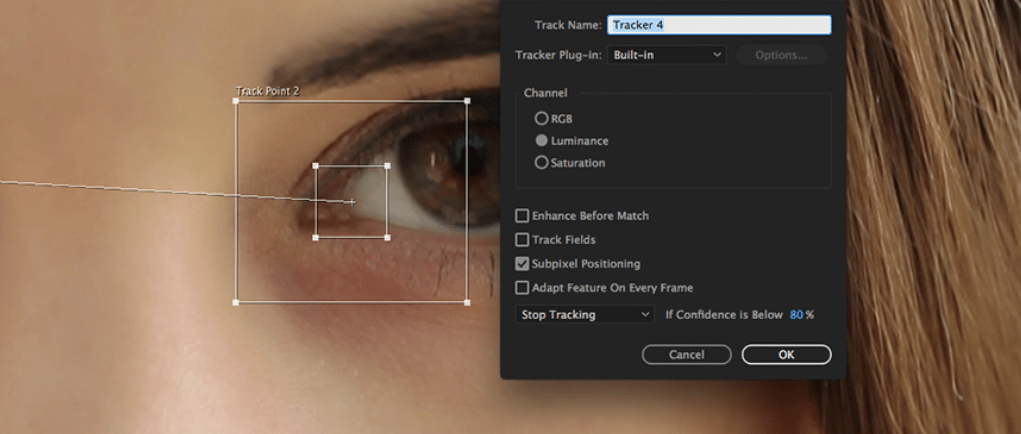
Fig. 1: Motion tracking example (School of Motion, n.d.).
Fig. 2: Tracking options in After Effects (Pond5, n.d.).
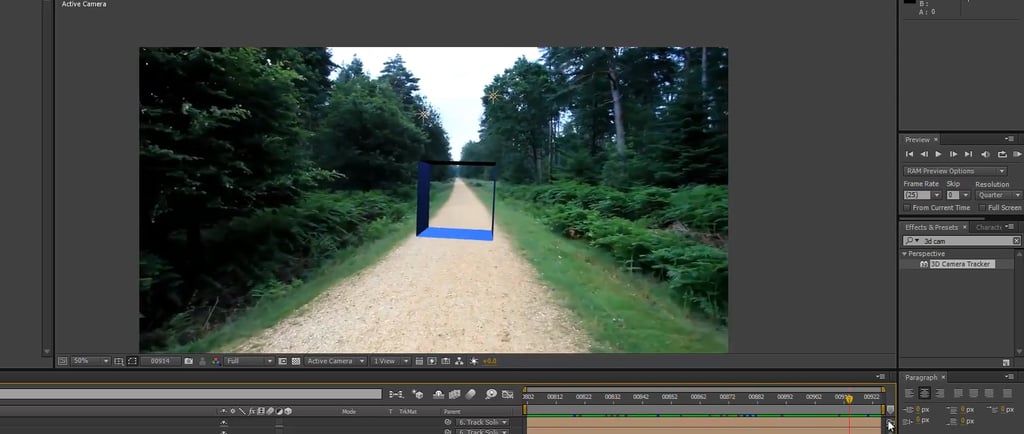
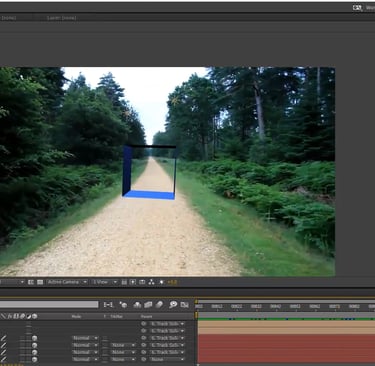
Fig. 3: Screenshot from After Effects tutorial: Camera track a cube (Viral Killer, n.d.).
Business address: Voice of Drew, Carlisle, CA2 6ER | UTR: 7259771174 Copyright Drew Campbell 2024